

For android users, we are here with How To Secure Rooted Android From Security Threats. Many of you might have rooted android devices. But do you know? rooted android is an open gateway for security threats towards your android and if security measures are not adopted then they can harm your android. So here we are discussing some tips that you should implement to secure your rooted android from threats and viruses.
Also Read: How to Boost and Increase Internet Speed
How To Secure Rooted Android From Security Threats
The below tips are really helpful and effective and you should implement them today to make sure that apps for your rooted android are not affecting your device. So read out all the tips below.
1.Manage Your App Permission
1.Manage Your App Permission
Use F- Secure App Permission App

Today there are millions of apps in Google Play Store that access your android data by granted permissions while accepting the terms during the downloading process, so to manage that permissions properly and protect your data being flowed out to the apps, this is the best app that we prefer to use in your android device. So you must install this app in your and secure it today.
You can also use Apps Ops

You can also use Apps Ops, which serves the similar feature like F-secure App Permission, F-secure is not available in Google play store. But you can get Apps Ops from play store. App Ops” is a built-in application permissions manager which helps you to toggle permissions of the installed apps.
2. Use Best Antivirus Apps For Your Android To Protect It From Viruses

Antivirus programs are really helpful to keep your android free from all the viruses that can come easily in your rooted android because of many flaws that can develop after rooting your android. So use the antivirus from the above link and keep your android secure from viruses and threats.
3.Don’t Install Unauthorized Apps After Rooting
3.Don’t Install Unauthorized Apps After Rooting
Many of users root their android device to get rid of the pre-installed apps but actually these must be there on your android device as they protect your device from another spying apps. Users tend to prefer new apps rather than an old one, So it’s always better to install authorized apps from Google play store.
4. Using System Cleaner In Your Rooted Android
Use CM Security

This is one of the preeminent security tools or antiviruses for your android device that implements security from all the external threats. By using this app, you can scan out all the malicious apps that you have been installed on your android device. Also, this can be handled as app lock too to protect your app from unauthorized access.
Features:
- Android 5.0 and 6.0 is supported
- Fingerprint lock password is supported on specific devices
- Snap the snooper who tried to unlock your apps
- Customized lock mode. You don’t need to unlock apps every time.
Use Clean Master

Features:
- AppLock can lock Facebook, SMS, Contacts, Gallery, or any other apps you choose.
- Battery Saver helps to analyze battery status and hibernate running apps to save power.
- Swipe gives you quick access to other apps and tools without having to go back to your home screen.
- The junk-creating behavior of millions of apps has been analyzed so that Clean Master can efficiently hone in on its targets (cache and residual files) with perfect accuracy.
- Boost your games and apps, free up memory (RAM), speed up your device and save more battery
5. Use Android Device Manager In Your Android

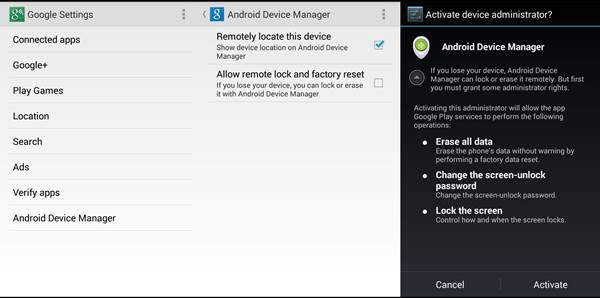
You must enable Android device manager in your android as this is the reliable choice to track your lost android from your google account. Also, make sure to provide the complete supremacy to this app for its excellent working.
6. Use App Locker(CM Locker) To Lock your personal apps
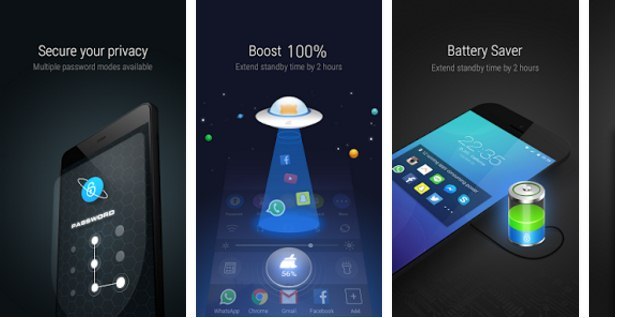
Very often we share our smartphone with others, at that time our privacy can be at risk, so you can use the App locker app that helps to protect your apps with a password. You can easily protect apps like Whatsapp, Messenger, Browser, and Gallery etc.
Features:
- Boost phone speed by 100% directly from the toolbox
- Clean battery draining apps to extend battery life by 30% (generally)
- Snap phone peepers after they enter wrong passwords, catch anyone who tries to snoop on your phone.
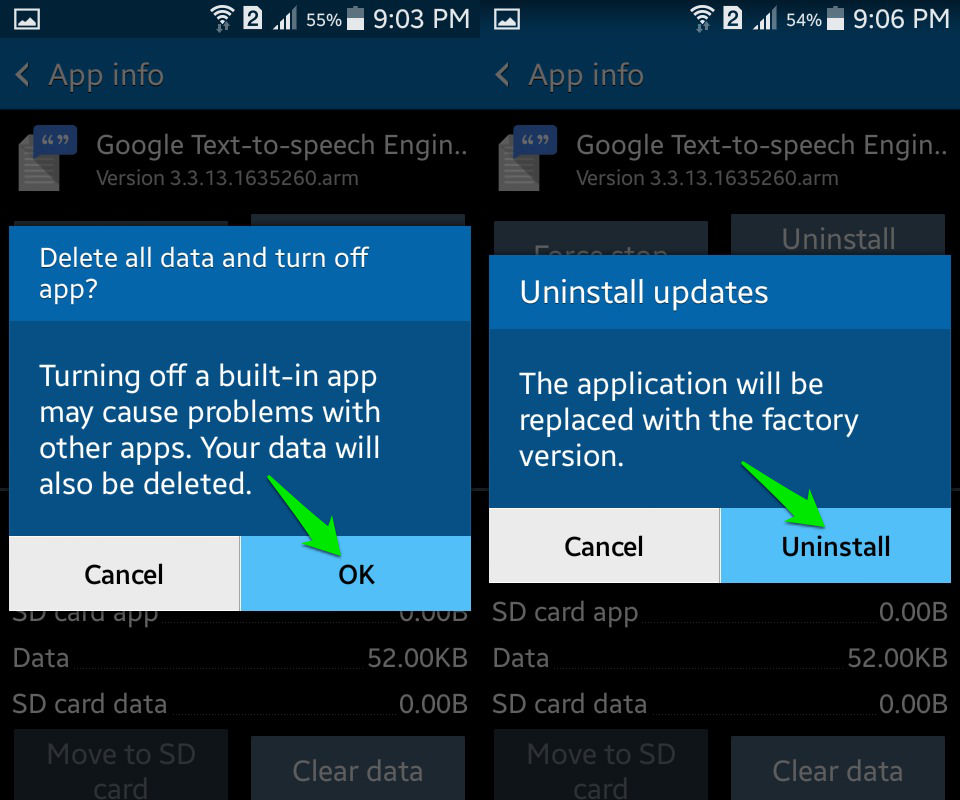
7. Don’t Remove Pre-Installed Apps
8. Always have a Backup
Backing up your phone is the best thing you can do for your android smartphone. There is nothing worse than losing everything on your phone and realizing you never backed up anything. So, you just needed an app which allows you to backup your apps images and all your android data.Use Titanium Backup

Features:
- Keep multiple backups per app
- Backup/restore SMS,MMS,calls,bookmarks,Wi-Fi AP as XML
- Restore individual apps+data from non-root ADB backups!
- Restore individual apps+data from CWM backups!
- Restore individual apps+data from TWRP backups!
- Integrate system app updates into ROM.
So above is all about How To Secure Rooted Android From Security Threats. With this, you can easily secure your device from the internal threats that can harm your android a lot. And these threats can even damage your android system too, so better is to stay secure from them. Hope you like the post, do share this with others too. Leave a comment if you still have any queries related this.


No comments:
Post a Comment
Is this post helpful?
Your comment(s) are highly appreciated to this post. Be the first to comment and make sure you also share to your friends and families about this post, for them to also benefit from it.
Share to all social networks like Facebook, Twitter and others social network you may know.
Are you finding it difficult to drop a comment here? Kindly click here and learn how to comment on Naijatechviral.com
Send FOLLOW NAIJATECHVIRAL To 40404
To get Free Update From This Blog